≥ 0.80
This onePosted automatically
Confident, complete, and from a sender we know. It lands in the ledger and you never think about it.
Blue Tokai Coffee, −₹420, filed against ··4821.
Offline expense tracker for Android · Built for India
Skimp reads the transaction SMS your bank already sends, on your phone, and turns them into a ledger. No account, no server, and no internet permission, so nothing can leave.
Skimp is in a closed test ahead of a public release. Leave an email and we'll tell you when there's a build to install.
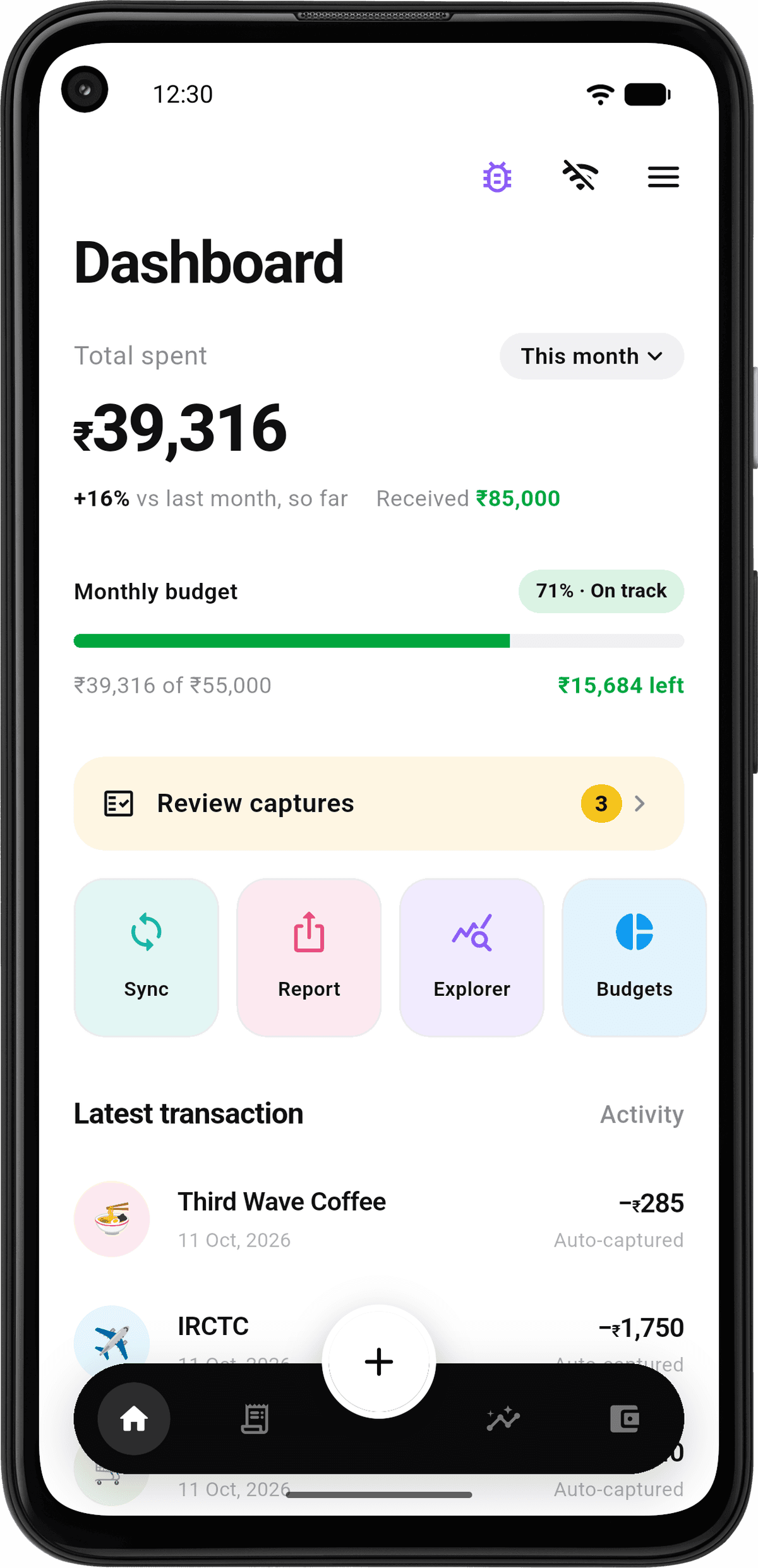
Anyone can put “privacy-first” on a landing page. Here is what each claim rests on.
Promise 01
The app never asks Android for internet access, so it has no way to send anything anywhere. Turn on airplane mode and nothing changes.
AndroidManifest.xmlrelease build
READ_SMSrequested
Reads bank alerts out of your inbox.
POST_NOTIFICATIONSrequested
Budget alerts, and how far an import has got.
FOREGROUND_SERVICErequested
Lets a long import finish after you leave the app.
INTERNETnever requested
Would let the app reach a server. Any server.
SEND_SMSnever requested
Would let it send a message as you.
Also VIBRATE, for those alerts. That is the whole list.
Promise 02
Every feature, for everyone. No ads, no paid tier, no card on file. It runs on your phone, so there is nothing to bill you for.
The pricing page, such as it isPick a message and watch what the app does with it. All of it runs on your phone.
Try it on
Inbox
HDFCBKRs.420.00 debited from a/c **4821 on 12-08-25 to BLUE TOKAI COFFEE. Ref 5512099831.
Airplane mode makes no difference to anything below.
Is this actually from a bank or UPI app? Everything else is dropped before it's even read.
HDFCBK · known bank
Amount, direction, account, merchant and reference, pulled out on the phone.
₹420 · debit · ··4821 · Blue Tokai
Rules and a small on-device model each score the message. Together they give a confidence.
rules0.98
model0.87
together → 0.94
Then, by confidence
0.94
≥ 0.80
This oneConfident, complete, and from a sender we know. It lands in the ledger and you never think about it.
Blue Tokai Coffee, −₹420, filed against ··4821.
0.40 – 0.80
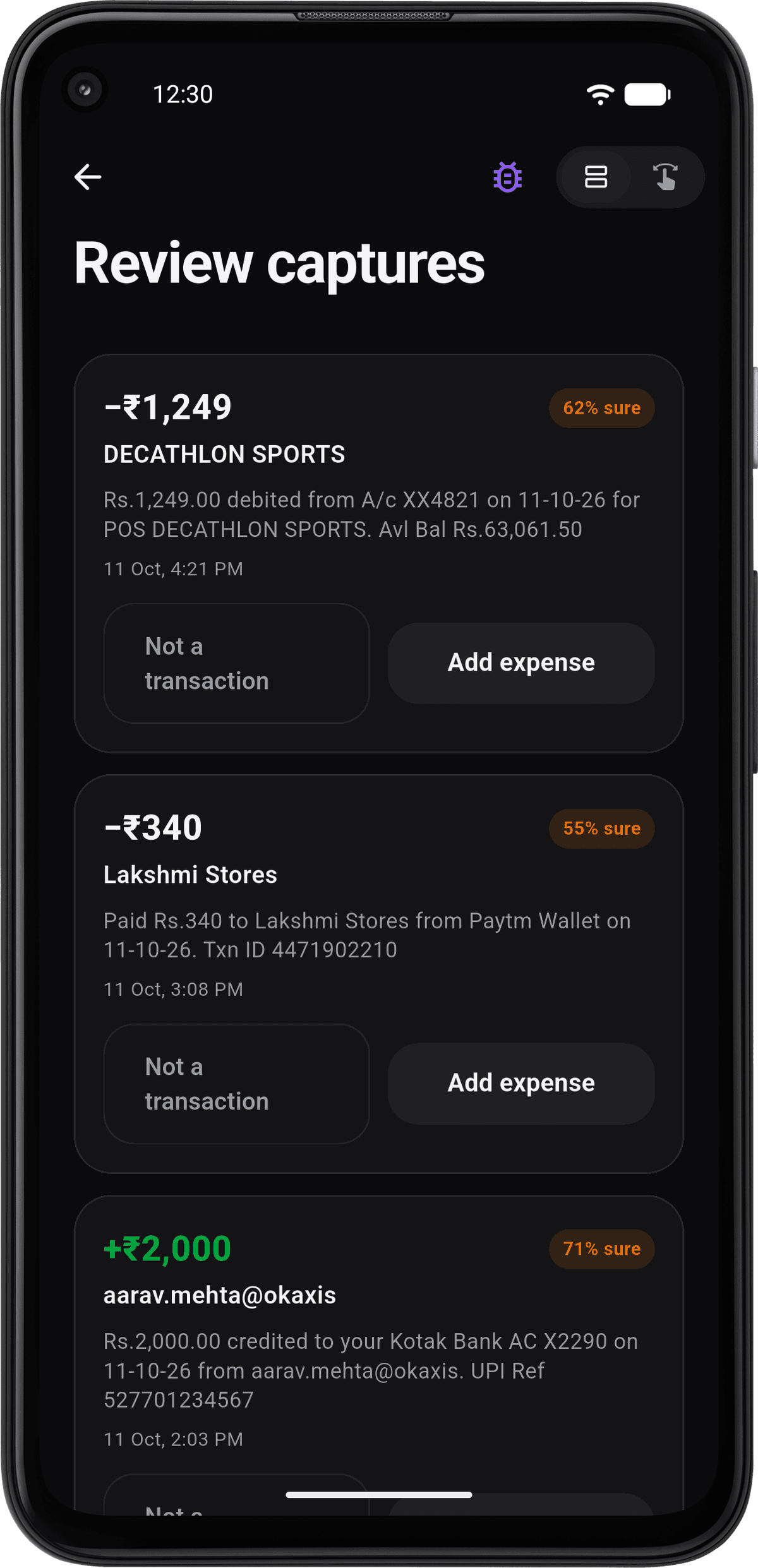
Something was ambiguous. It sits in a queue until you confirm or correct it, one tap, not a form.
< 0.40
Promos, balance enquiries, due-date reminders. OTPs and autopay notices always land here, whatever they score.
A coffee: scored 0.94. Posted automatically. Blue Tokai Coffee, −₹420, filed against ··4821.
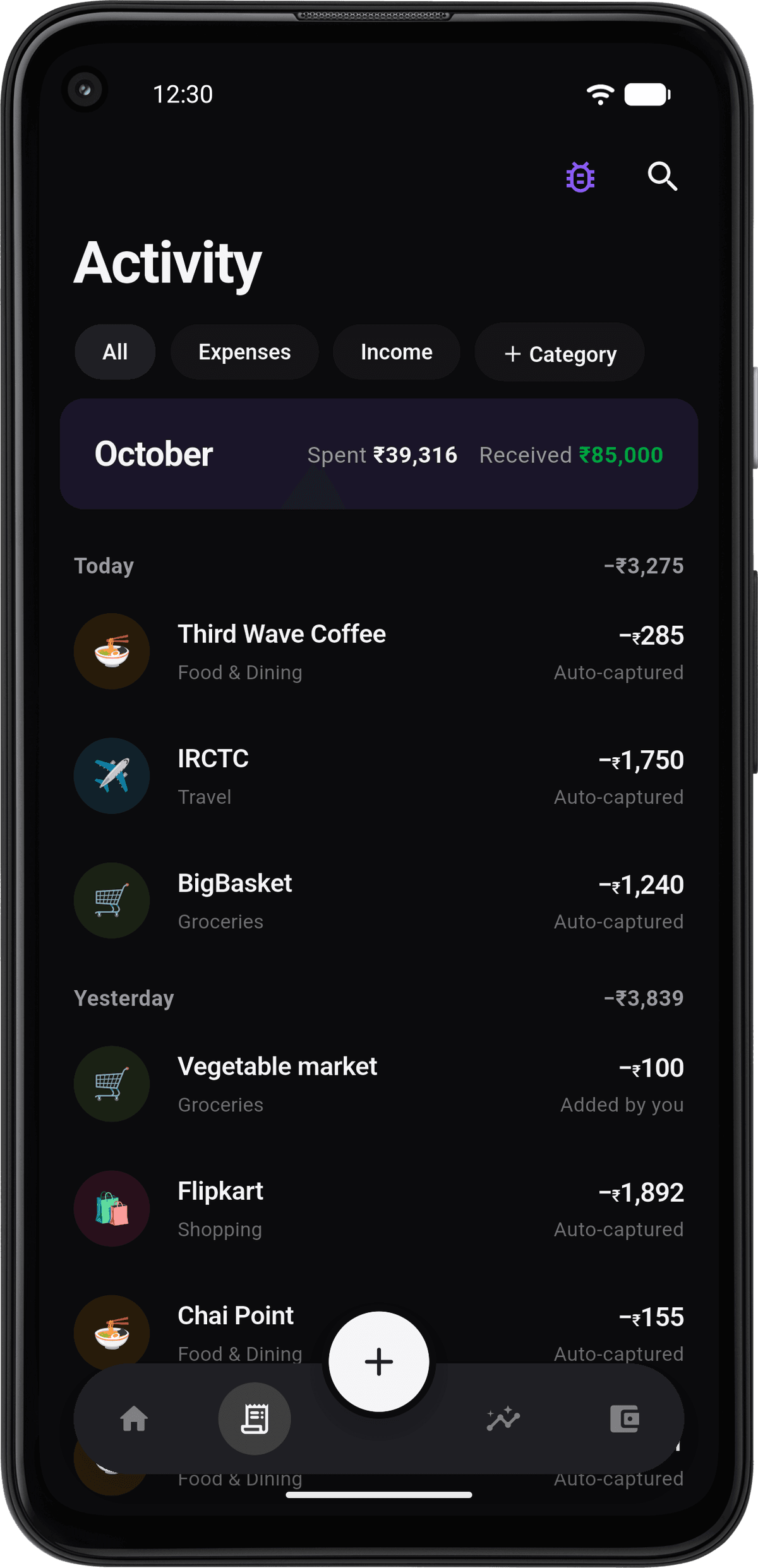
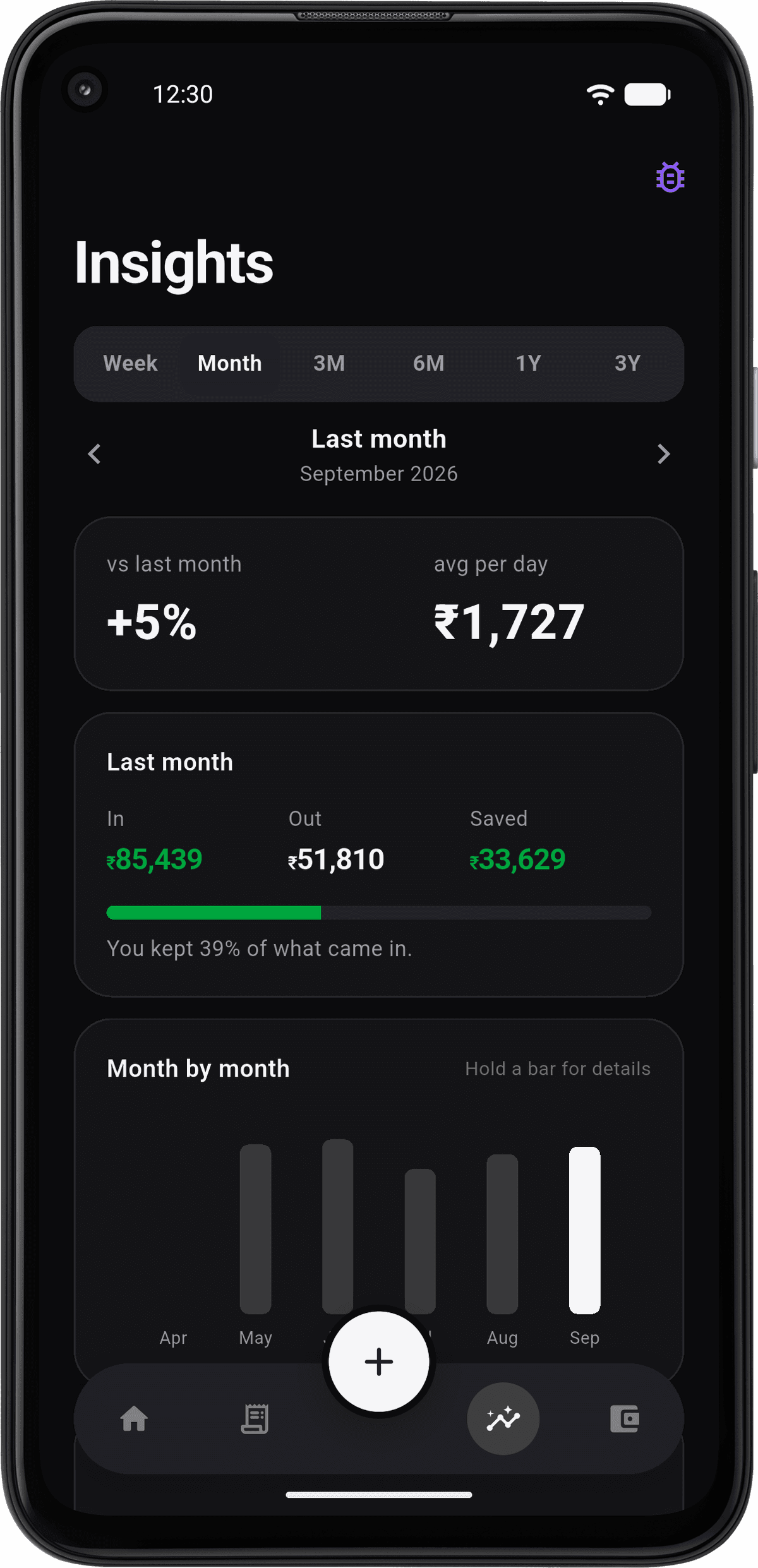
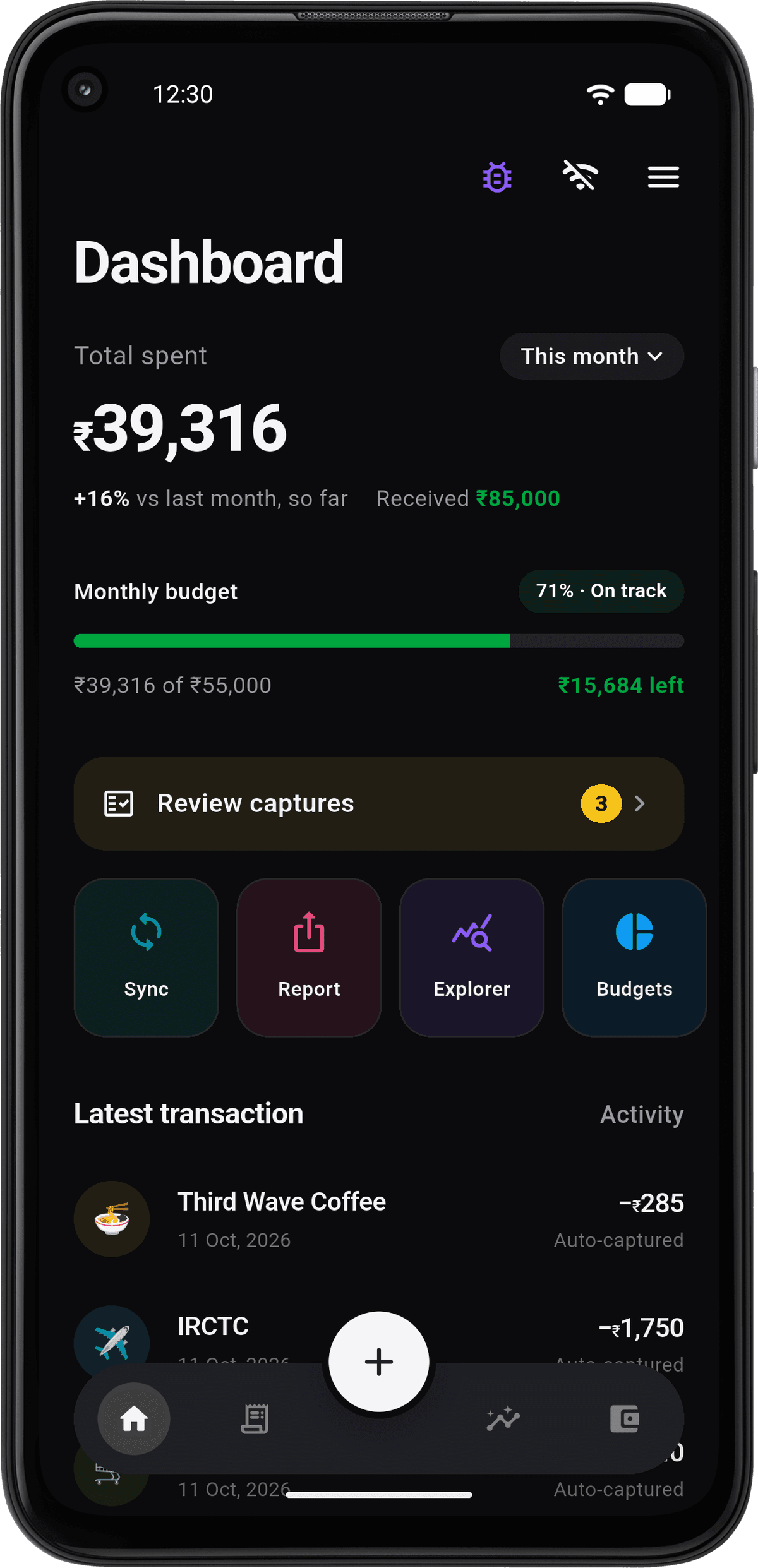
Real screenshots, in the theme you’re reading this in. How each one works is on the features page.
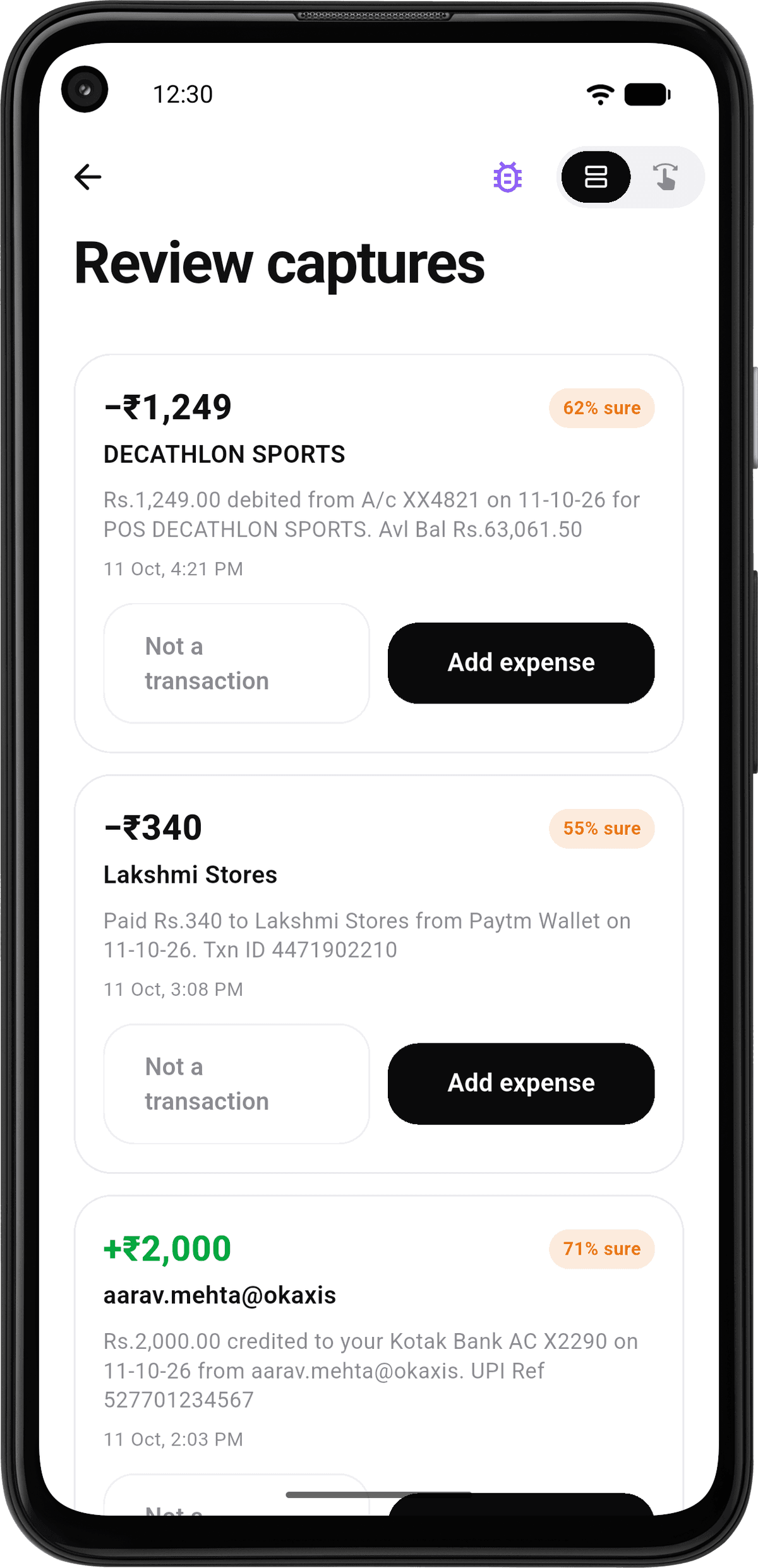
Anything the app wasn't sure about waits here with the message it came from. Confirm or correct it in one tap.
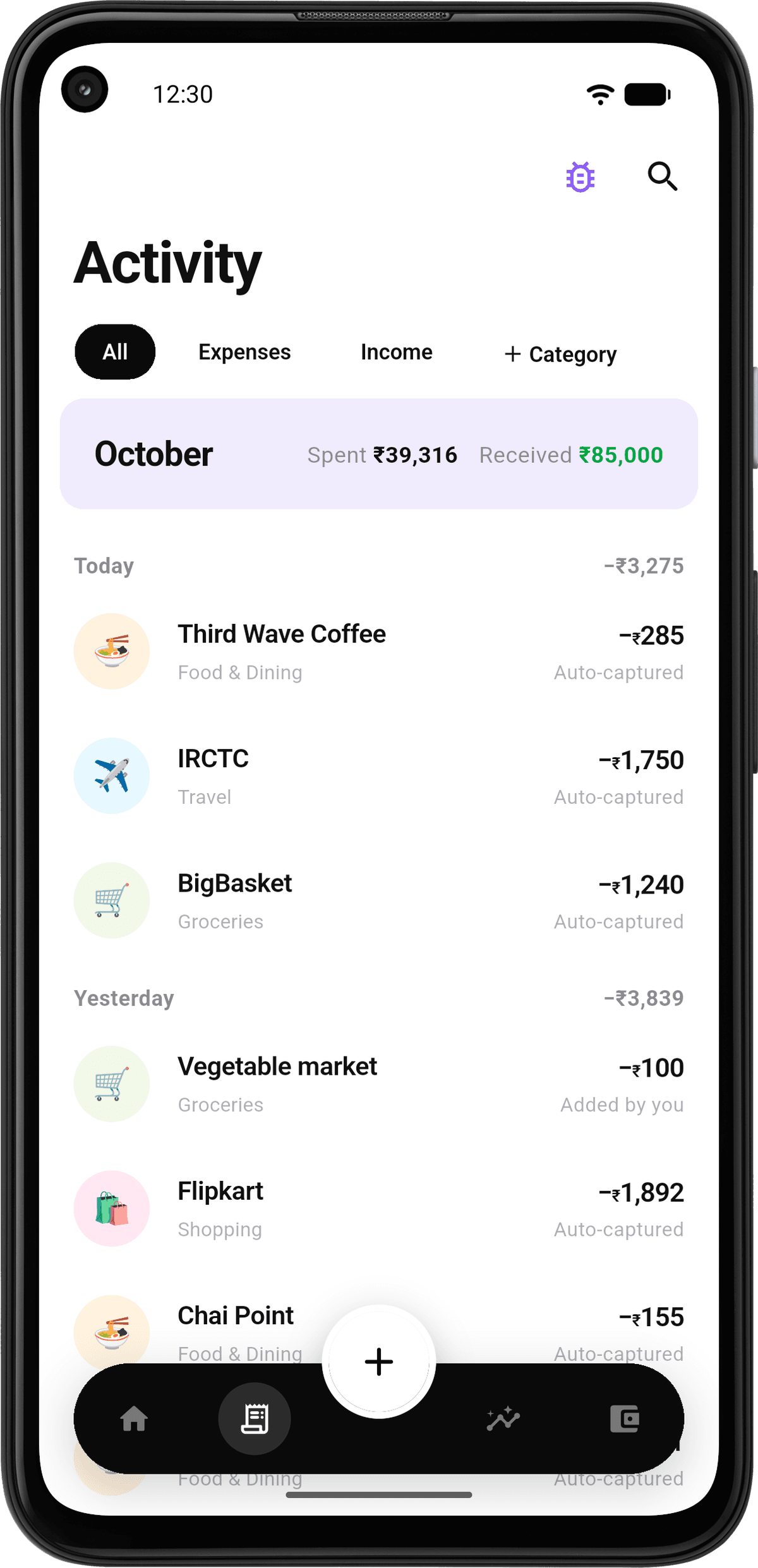
Search, filter, group and sort the whole ledger. Each row keeps the account and merchant its message named.
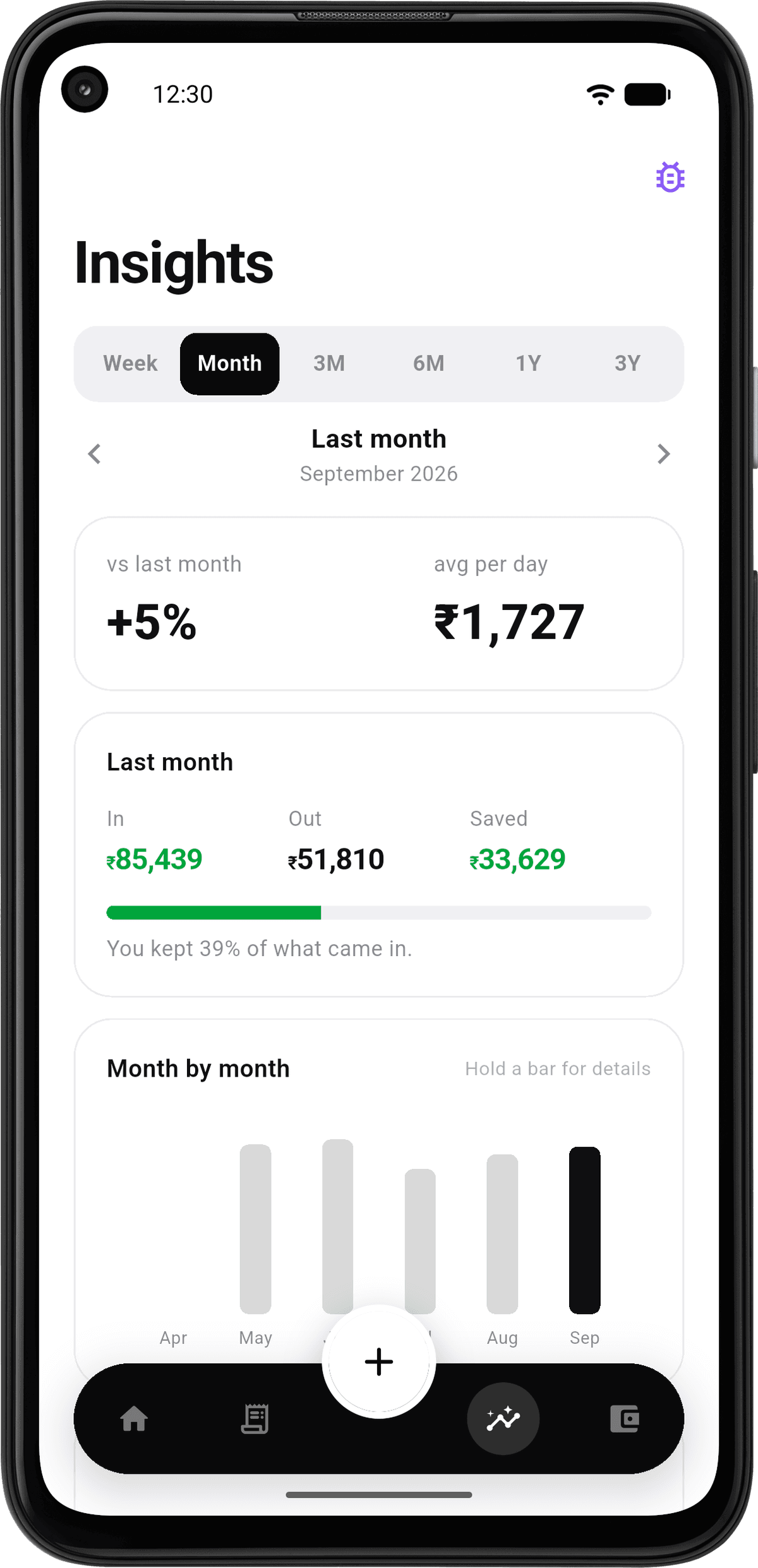
Trends over time and a breakdown by category, worked out on the phone from your own ledger.
Skimp also learns your categories, learns which bank messages matter, finds your subscriptions, speaks 14 Indian languages, and exports CSV and PDF reports.
Explore every featureExpenses, income, transfers between your own accounts, split payments and tags.
Monthly limits, overall and per category. One alert when you're close, one when you're over.
Rent, SIPs, EMIs and subscriptions. Missed cycles catch up when you open the app.
Trends, top merchants, and a subscription radar for what quietly leaves each month.
Every day shaded from red to green by what came in and what went out.
Savings targets, and a per-person lend and borrow ledger that nets to one number.
Filter by date, category, merchant, tag or amount, and save the view under a name.
CSV and PDF reports, and an encrypted backup locked with your own passphrase.
The app has no server, so it costs almost nothing to run, and none of your data reaches us, so there is nothing to sell. Nobody makes money from it. If that ever changes, it won't be by locking a feature you already use.
Indian banks text you on every transaction, so the ledger already exists, scattered across your inbox. Skimp reads those messages on your phone, keeps the transaction and uploads nothing. It never asks for a bank login, a UPI PIN or Account Aggregator consent.
It recognises SMS alerts from the major Indian banks and card issuers, and treats the rest more cautiously. UPI payments are captured through your bank's alert, so it doesn't matter which app you paid with. The list is on supported banks.
Mostly in what it can't do: it can't go online, so there's no sync, no iPhone app and nothing uploaded. For some people one of those apps is the better choice. We wrote down which, with sources, in the comparison.
Not publicly yet. It's in a closed test on Google Play ahead of a public release. Join the waitlist and we'll email you when there's a build to install.
No. iOS doesn't let apps read your messages, so automatic capture can't work there.
It will, sometimes. Anything it isn't confident about goes to a review queue instead of straight into your ledger, and every number in the app is editable.
The app doesn't. This website does, because it's the only way to tell you there's a build to install. You get a code to confirm the address and one email after that. It isn't sold, shared or added to anything else.
Leave an email and we'll tell you when there's a build to install. One message, no newsletter.